
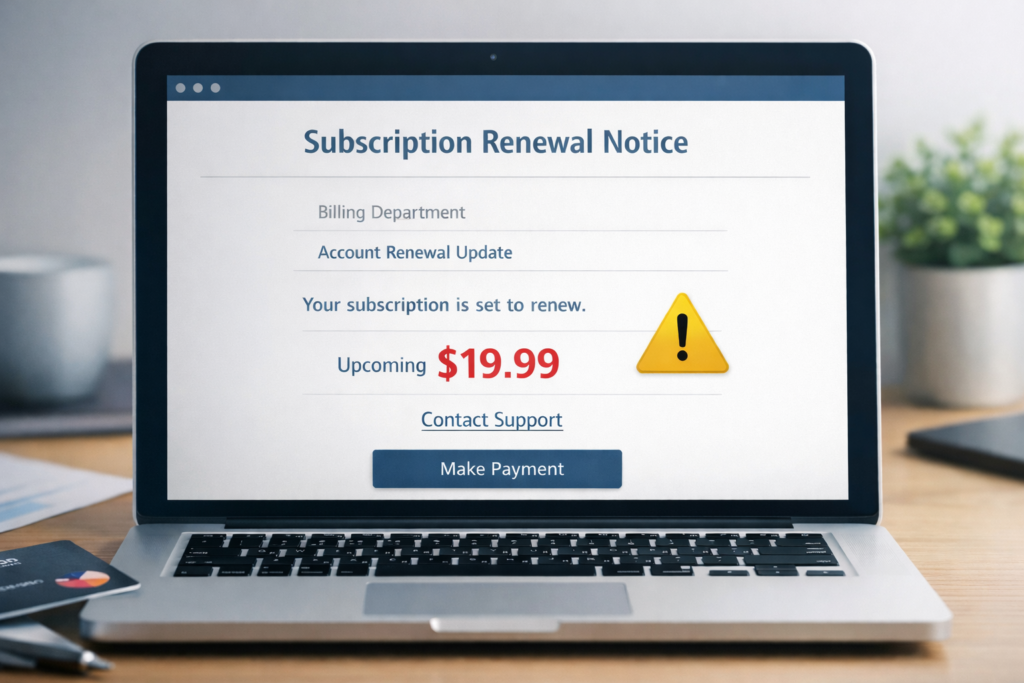
The subscription renewal scam is one of the most common phishing tactics online. Scammers send emails or display pop-ups claiming you’ve been charged—or are about to be charged—for a subscription you didn’t authorize. The message includes a phone number or link to “cancel” or “get a refund,” which leads to theft of your money or personal information.
According to the FTC, consumers reported losing over $12.5 billion to fraud in 2024, a 25% increase over the previous year. Impersonation scams—including fake subscription renewal emails—were the most-reported category.
These scams work because most people have multiple subscriptions and can’t always remember what they’re paying for. A 2024 C+R Research study found that consumers think they spend about $86 per month on subscriptions, but the actual average is closer to $219. That gap creates confusion scammers exploit.
How this scam usually works
The scam begins with an email, text message, or browser pop-up. It claims you’ve been charged (or will be charged soon) for renewing a service—often one you recognize, like Norton, McAfee, Geek Squad, Amazon Prime, or a streaming platform. The message usually includes a dollar amount designed to feel alarming but believable—typically between $299 and $499. It tells you to call a phone number or click a link to cancel the charge and get a refund. If you call the number, you’ll reach a scammer posing as customer support. They’ll ask for remote access to your computer, your bank login, or your credit card number. In some versions, they “accidentally” refund too much money and pressure you to send the difference back via wire transfer, gift cards, or Zelle. If you click a link instead, it may take you to a fake login page designed to steal your username and password, or it may download malware onto your device.Real examples of subscription renewal scams
The fake Norton or McAfee auto-renewal email
This is the most widespread version. You receive an email with a subject line like “Your Norton 360 subscription has been renewed — $349.99” or “McAfee Total Protection Auto-Renewal Confirmation.” The email includes an invoice number, a charge amount (usually $299–$499), and a phone number to “cancel within 24 hours for a full refund.” The email may look polished, with logos and formatting that mimic real receipts. The red flag: Norton and McAfee do not send invoices asking you to call a phone number to cancel. If you have a real subscription, you manage it through your account on their official website. For a deeper look at this specific tactic, see our article on McAfee subscription renewal scams.The Geek Squad billing scam
You receive an email claiming Geek Squad (Best Buy’s tech support service) has charged you $299–$499 for an annual protection plan renewal. The email says to call a number if you didn’t authorize the charge. When you call, the “agent” asks to remote into your computer to “process the refund.” Once connected, they may show you a fake bank screen, claim they accidentally refunded too much, and pressure you to send back the difference. The red flag: Geek Squad does not email invoices with a call-back number for cancellations. Best Buy manages Geek Squad subscriptions through your BestBuy.com account.The Amazon Prime or streaming service fake renewal
This version claims your Amazon Prime, Netflix, Hulu, or Disney+ subscription is renewing at an inflated price—sometimes $79.99 or $119.99 when the real cost is much lower. The email asks you to click a link to “review” or “cancel” the charge. The link takes you to a fake login page that looks identical to the real service. If you enter your credentials, the scammer captures your username and password—and potentially your payment information. The red flag: Streaming services manage renewals inside your account settings. They don’t send emails asking you to click a link to cancel. If you’re unsure, go directly to the service’s website by typing the URL in your browser.Warning signs of a fake renewal email
Unexpected charges for services you don’t use. If you don’t have a Norton subscription but receive a Norton renewal invoice, it’s a scam. Simple as that. Urgency and deadlines. Phrases like “cancel within 24 hours” or “your account will be charged today” are designed to make you act fast without checking the facts. A phone number instead of an account link. Legitimate companies direct you to your online account to manage subscriptions. They don’t ask you to call a number printed in an email to get a refund. Generic greetings. Emails that say “Dear Customer” or “Dear Sir/Madam” instead of your actual name are a strong signal the sender doesn’t know who you are. Mismatched sender addresses. The “from” name may say “Norton Support” but the actual email address is something like nortonbilling@gmail.com or support@norton-renewal-notice.com. Hover over the sender name to check the real address. Attachments or unusual formatting. Real renewal notices don’t come as PDF or Word attachments. If the email includes an attached “invoice,” don’t open it—it may contain malware. Inflated dollar amounts. Scammers use amounts that are high enough to trigger concern but not so high that they seem absurd. If the charge seems much higher than what you’d expect, verify it through the company’s website directly.What does a real renewal email look like vs. a fake one?
Here’s how to tell the difference at a glance: Real renewal email:- Sent from a verified company domain (e.g., @norton.com, @amazon.com)
- Addresses you by your full name
- References your actual account or last four digits of your payment method
- Links go to the company’s real website (hover to check)
- Doesn’t ask you to call a phone number to cancel
- Matches the price you agreed to when you subscribed
- Sent from a generic or misspelled domain (e.g., @norton-billing.com, @amazonsupport.net)
- Uses “Dear Customer” or no name at all
- Shows a charge amount that doesn’t match any real subscription
- Includes a phone number or suspicious link to “cancel” or “get a refund”
- Creates urgency with 24-hour deadlines
- May include an attached “invoice” (PDF or Word doc)
How to protect yourself
- Check your actual subscriptions first. Before reacting to any renewal email, log into the service’s official website and check your account. If there’s no charge, the email is fake.
- Use a subscription tracker. Tools like Rocket Money or Truebill can show you every active subscription tied to your accounts. This makes it easy to spot charges that don’t belong.
- Never call a phone number from an email. If you need to contact a company, find the number on their official website—not from the email claiming you’ve been charged.
- Don’t click links in unexpected billing emails. Type the company’s URL directly into your browser instead.
- Check the sender’s email address. Hover over the “from” name to reveal the actual email address. If it doesn’t match the company’s real domain, delete the email.
- Enable two-factor authentication on important accounts—an extra step when logging in, usually a one-time code sent to your phone. This protects you even if a scammer does get your password through a fake login page. For a step-by-step guide, see How To Secure Your Online Accounts.
- Keep your email’s spam filters on. Most email providers catch a large percentage of these scams automatically. Don’t disable spam filters.
- Report the email. Forward phishing emails to reportphishing@apwg.org, then delete them. For more on how phishing works, see our guide on email phishing scams.