
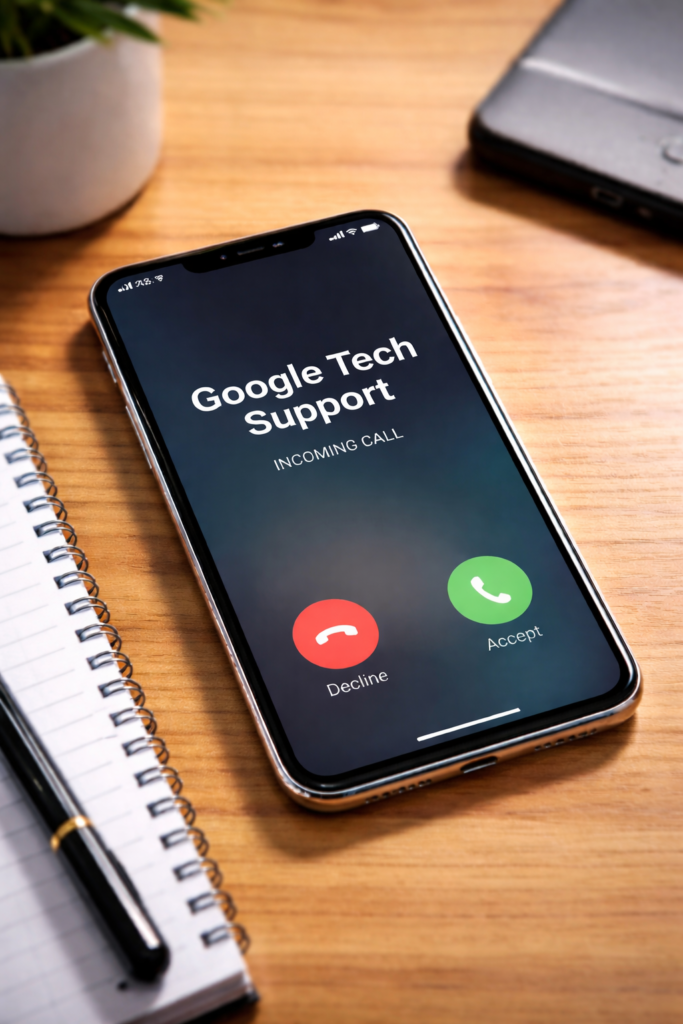
What Is the Google tech support scam?
The Google tech support scam is a fraud where scammers impersonate Google support staff to gain access to your account, device, or money. Scammers use three main tactics: a fake Google support call claiming your account is compromised, a tech support scam pop-up that appears while you’re browsing, or a fake Google alert delivered by email.
The scam’s core strategy is creating enough urgency that you act before thinking. You see an alarming alert, receive a phone call, or get an email warning—each claiming your Google account has been compromised, your device has a virus, or suspicious activity has been detected. The goal is to make you call a number, click a link, or grant remote access before you verify the alert is real.
Once you engage, the scammer moves quickly. They either steal your Google account credentials, install software that gives them ongoing access to your device, or convince you to pay for fake “support services.” Google itself never initiates contact this way. If something is genuinely wrong with your Google account, Google communicates through your account at myaccount.google.com—not through unsolicited phone calls, pop-ups, or emails with phone numbers.
How the Google tech support scam usually works
The scam arrives through three main channels, each designed to feel urgent and official.
The tech support scam pop-up version is the most common. While you’re browsing the web, a full-screen alert suddenly appears claiming your computer is infected or your Google account has been locked. The alert may include alarming sounds, flashing red warnings, or a countdown timer. It displays a phone number and instructs you not to close your browser or shut down your computer. These pop-ups are triggered by malicious ads or compromised websites—they are not alerts from Google or your operating system.
The fake Google support call version involves a scammer calling you directly, claiming to be from Google’s support team. They say they’ve detected suspicious activity on your account and need to verify your identity or walk you through a fix. They may already know your name, email address, or other basic details—information easily found through data breaches or public records—which makes the call feel legitimate.
The fake Google alert version sends an email that mimics Google’s design, warning you that your account will be suspended or that a login from an unrecognized device was detected. It includes a link to “secure your account” or “verify your identity” that leads to a fake login page designed to capture your Google password.
In all three versions, the scammer eventually asks for one of three things: your Google account login credentials, remote access to your device through software like AnyDesk or TeamViewer, or a payment for a support plan or security software. Any of these outcomes gives the scammer what they need to cause real harm.
Why Google tech support scams are so effective
Google is one of the world’s most trusted companies. When you see Google’s blue logo, familiar interface, or hear the name “Google support,” your instinct is to trust it. Scammers exploit this trust by closely mimicking Google’s branding, using its name, and creating fake alerts that look official.
Urgency is the scammer’s second weapon. A countdown timer, flashing warnings, or claims that your account is “locked” or will be “suspended” trigger panic. When you’re scared, you’re less likely to stop and think critically. Older users and less tech-savvy individuals are particularly targeted because they’re more likely to trust authority figures, follow instructions carefully, and panic when confronted with technical jargon.
The scammers also use real information about you—found through public records or data breaches—to appear more credible. A caller who says “I’m calling about your Google account associated with john.smith@gmail.com” sounds like they work for Google, even though any scammer with your email address could say the same thing.
Warning signs of a fake google support call, pop-up, or alert
A phone number appears in the alert or message. Real Google security notifications—whether in your browser, by email, or in the Google app—never include a phone number for you to call. Any fake Google alert displaying a support number is fraudulent. If you’re concerned about your account, go directly to support.google.com instead.
The alert is impossible to close. Fake browser pop-ups are often designed to prevent normal dismissal. They may disable your close button, open new windows when you try to exit, or loop back to the warning. This is a scare tactic, not a sign your computer is actually locked. You can almost always close the browser by pressing Command+Q on a Mac or Alt+F4 on Windows, or by force-quitting the browser from your task manager.
You’re asked to install remote access software. Google support does not ask you to install third-party software like AnyDesk, TeamViewer, or AnySupport to resolve account issues. A request to install anything during a support interaction is a major warning sign.
You’re asked to pay in an unusual way. Scammers often request payment through gift cards, wire transfers, or cryptocurrency. Legitimate tech support services charge through standard payment processors—they never ask for a Google Play card or iTunes gift card to cover support fees. Learn more about why scammers use these payment methods in our guide to why scammers ask for gift cards, crypto, and Zelle.
How to protect yourself from google support scams
If a pop-up appears with a phone number, close your browser immediately. Don’t call the number and don’t click anything in the pop-up. If the browser won’t close normally, force-quit it using your device’s task manager or Activity Monitor. Your computer is almost certainly fine—the pop-up itself is the scam, not evidence of an actual problem.
If someone calls claiming to be from Google support, hang up. You can always call back through Google’s official support channels at support.google.com if you have a genuine concern. Scammers sometimes push back when you try to end the call, creating more urgency. Hang up anyway and block the number.
Check your Google account security directly. Go to myaccount.google.com and review your security checkup, recent activity, and connected devices. If something is genuinely wrong with your account, Google will surface it there—not through a pop-up on a random website or an unexpected phone call.
Never grant remote access to your computer based on an unsolicited contact. Once a scammer has remote access to your device, they can install persistent software, access saved passwords, view financial accounts, and lock you out of your own computer. This is one of the hardest situations to recover from. Learn best practices for account security in our guide to how to secure your online accounts.
Use two-factor authentication on your Google account. Two-factor authentication (also called 2FA or two-step verification) adds a second verification step when you log in from a new device. Even if a scammer gets your password, they can’t access your account without the second factor—usually a code sent to your phone or generated by an authenticator app.
What to do if you’ve already engaged with the scam
If you called the number but didn’t provide any information or install anything, you’re likely fine. Don’t call back, and block the number. If the caller contacted you again, report it to the FTC at ReportFraud.ftc.gov.
If you gave them your Google account password, act immediately. Change your password at myaccount.google.com right away. Then review your account’s recent activity for any sign-ins you don’t recognize and revoke access to any unfamiliar third-party apps. Enable two-factor authentication if you haven’t already—this makes it significantly harder for someone to access your account even with your password.
If you installed remote access software, disconnect your computer from the internet immediately. Uninstall the software, then have a trusted technician review your device for any additional software the scammer may have installed. Change passwords for every online account you use—email, banking, social media, shopping sites, everything. Assume the scammer captured everything visible on your screen while they had access. This includes passwords, banking information, and account recovery details.
If you paid money, contact your bank or card issuer right away. Report the fraud and dispute the charge. If you paid with gift cards, contact the gift card issuer with the card numbers—some companies can freeze unused balances if you act quickly. The faster you report it, the better your chances of recovering the money.
Report the scam to the FTC and Google. File a report with the FTC at ReportFraud.ftc.gov. If the scammer used Google’s name or branding, report it to Google directly at google.com/contact. These reports help authorities identify and shut down scam operations.
For a comprehensive guide on recovering from any type of scam, see our article: I Got Scammed—Now What? A Clear Guide to Your Next Steps
Key takeaways
- The Google tech support scam uses fake calls, pop-ups, and emails to trick you into revealing information or paying for fake services.
- Real Google alerts never include a phone number to call. If you see one, it’s a scam.
- Scammers exploit Google’s trusted brand and use urgency to bypass your critical thinking. Older and less tech-savvy users are particularly targeted.
- Close fake pop-ups by force-quitting your browser. Hang up on fake support calls. Never install remote access software based on an unsolicited contact.
- If you’ve already engaged, change your passwords, check your accounts, and report the scam to the FTC.